译文
The Best Claude Code Skills I've Used So Far

Skillsmp already has 60,000 Claude Skills, so today I'm going to recommend some of the Skills I use most frequently. The installation method is at the end, along with the installation guide for Claude Code (abbreviated as CC) and OpenCode's Douba version.

1. PleasePrompto/notebooklm-skill
The author is far from programmers and very close to gods. It can automatically upload PDFs, video links to NotebookLM, and even memory flashcards, mind maps, and reports that Google doesn't allow to export. It can also export video subtitles, PDF text, and web search structures. I use it directly as my cloud knowledge base.

2. OthmanAdi/planning-with-files
A Skill written according to Manus's Agent method, which can guide other Skills to work. It allows Claude Code to form combo moves during development. planning-with-files (planning) and Ralph Wiggum (autonomous iteration).

3. ralph-wiggum
The core function is to repeatedly input prompts to the Agent until it iterates out usable code. Remember to set the loop limit to 5-10 times.

4. anthropics/skill-creator
If you want to create your own skill, remember to install this one. You don't need to remember the development standards. Just say "Use skill-creator to develop a skill that converts PDF information into a visual web page" in CC.

5. obra/superpowers
An upgraded version of Claude Code Plan mode. For example, when I want to develop a new Skill, it will continuously ask and discuss for several rounds to determine the development plan. It can be used for brainstorming, writing requirement documents, development plans, and test cases.

6. obra/brainstorming
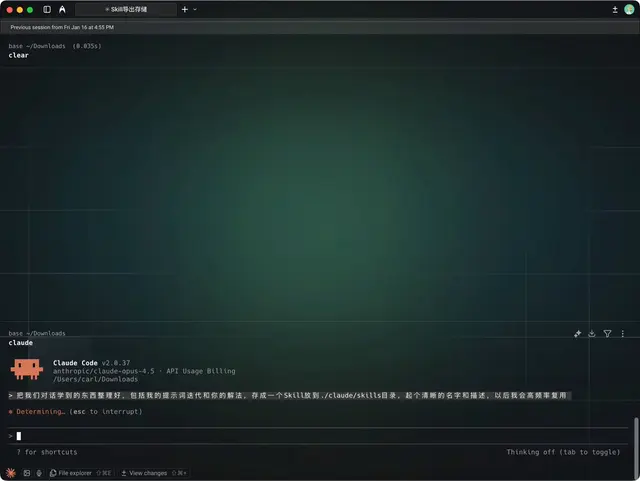
It's also for brainstorming. This one can be used to generate new skills, such as Don Koe's AI workflow, or your conversation records with the Agent. Just input them into CC, organize our conversation, including my prompts and your solutions, save it as a Skill in the ./claude/skills directory, and give it a clear name and description. I will use it frequently in the future.

7. anthropics/frontend-design
My front-end development, deployment, and Banana2 image matching set. frontend-design is responsible for the appearance, sanjay3290/imagen is responsible for calling the GeminiAPI to generate images for UI, icons, and visual materials, and vercel-labs/vercel-deploy-claimable is responsible for deploying local projects to Vercel.

8. microsoft/markitdown
You can believe Microsoft's level of document conversion. PDF, PPT, images, audio, HTML, ZIP, and ePub can all be converted to Markdown, and text models can also read file information.

9. fvadicamo/dev-agent-skills
Use Git to save local code changes. Even if the AI deletes the folder, you can still recover it from Github.

To install Skills, just input them in cc.

Install skills: GitHub link,

Add "github.com/" before the name after the number to get the GitHub link. If you need more, you can find some here.

skillsmp.com
 桃子AI画廊Tao Image Gallery