译文
Brothers, this is a no-brainer for generating images with the true passion of burning🥳

I'll introduce my "Female Portrait Director" Skill in detail, which has already received over 500 Stars. After installation, you can have an endless supply of materials just like me every day.

This Skill specializes in automatically generating complete prompts. You just need to copy and paste it into GPT Image 2 to generate images.

Usage:
1/ First, install it in your Agent, whether it's Codex, Hermes, OpenClaw, or Claude Code. You can install it by giving this address to your Agent to install it automatically.
Address:


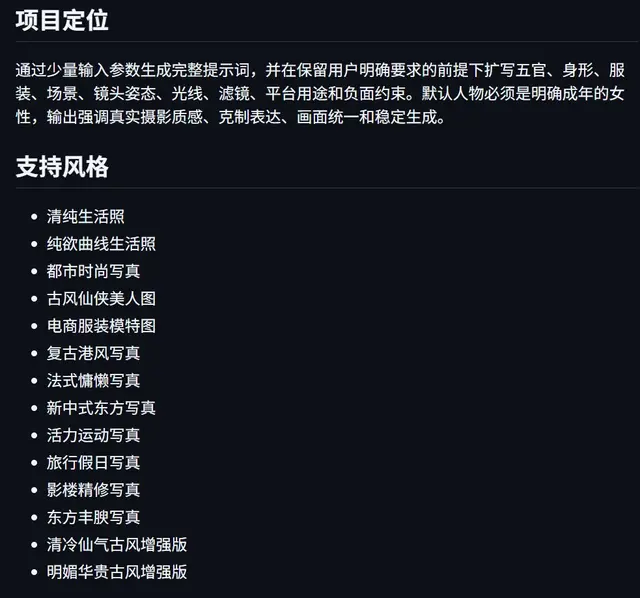
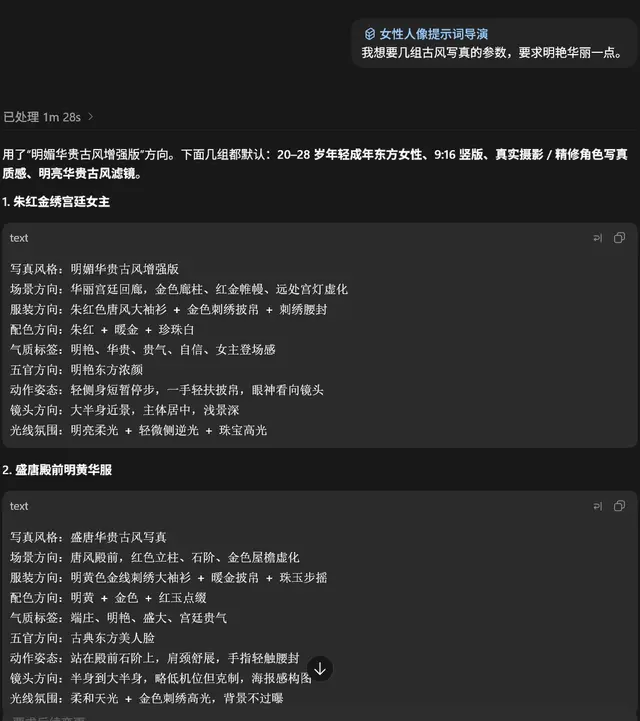
2/ Currently, it integrates 14 of my commonly used image generation styles (see Figure 1). You can directly provide parameters for the style you need (see Figure 2).
For example: I want parameters for several ancient-style portraits, requiring bright and luxurious ones.
It will provide at least 6 sets of parameters, and you can choose one.

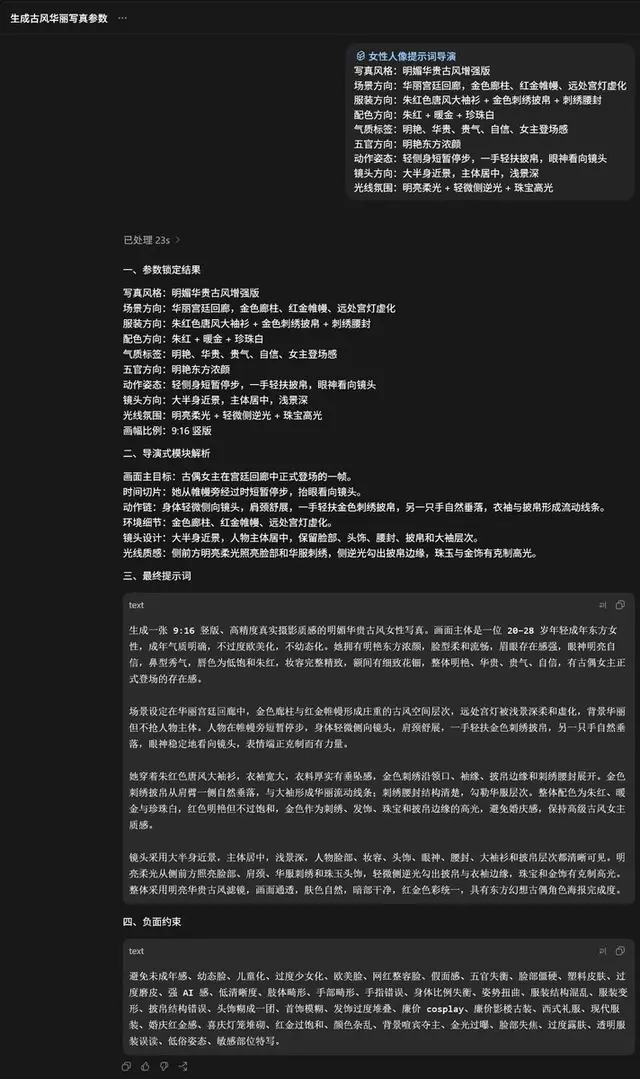
3/ Send the selected parameters to it, and at this point, you can get a complete prompt (see Figure 3).

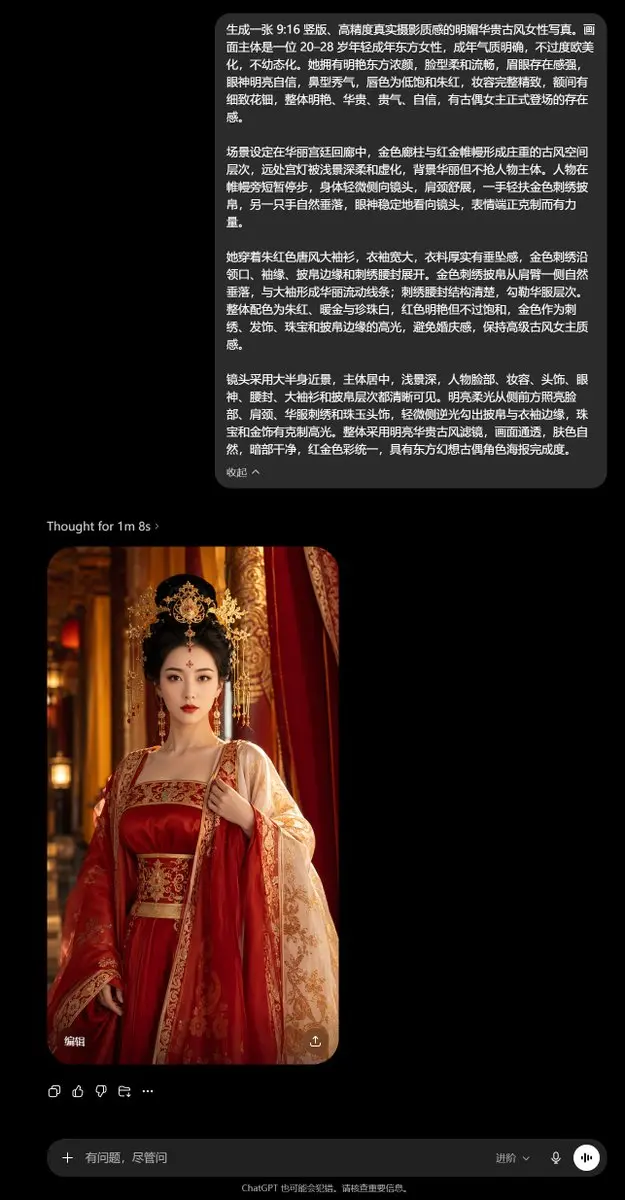
4/ Send the prompt to GPT Image 2 to generate the corresponding beautiful image (see Figure 4).

This is a strict prompt engineering process, striving to output prompts that meet the public aesthetic.

Welcome everyone to download and use.
 桃子AI画廊Tao Image Gallery